
Overview
A tiny robot with a lot going on
An Android app
Hold the stick to drive, let go to stop, with her modes and moves as buttons.
Follow, hello, dance
She keeps your hand 30 cm from her sonar in short pulses, and shakes her sonar head or dances on the spot.
Three ways to steer
Drive her like a car (WASD), control each track like a tank, or let her roam on her own in obstacle mode.
Live telemetry
An ultrasonic sensor on a servo reads front, left and right distances, alongside temperature, humidity and the last IR remote key.
WiFi dashboard
The ESP8266 serves a web dashboard on port 5010. She joins the fleet's RIFT network, else NORA's, else hosts her own access point — and keeps looking for a better one.
Collision guard
In manual modes she force-stops if she's about to hit something, and a watchdog stops her if your connection drops.
Adjustable power
Cycle 100 / 75 / 50 / 25 % presets from the IR remote, or set an exact value with the dashboard slider.
Desktop controllers
Native controllers in seven languages, with radar, live graphs, gamepad support and one-click network discovery.
MIND mode
The LLM on her PC controller drives her: she looks (or scans left, ahead and right), thinks out loud, says what she’s doing and moves. M on the controller.
Ticks and lights
The buzzer ticks faster as a wall gets close; in the dark her LED turns white to light the way.
Gamepad rumble
The pad buzzes harder as she nears a wall while you drive her forward.
Hardware
What it's built from
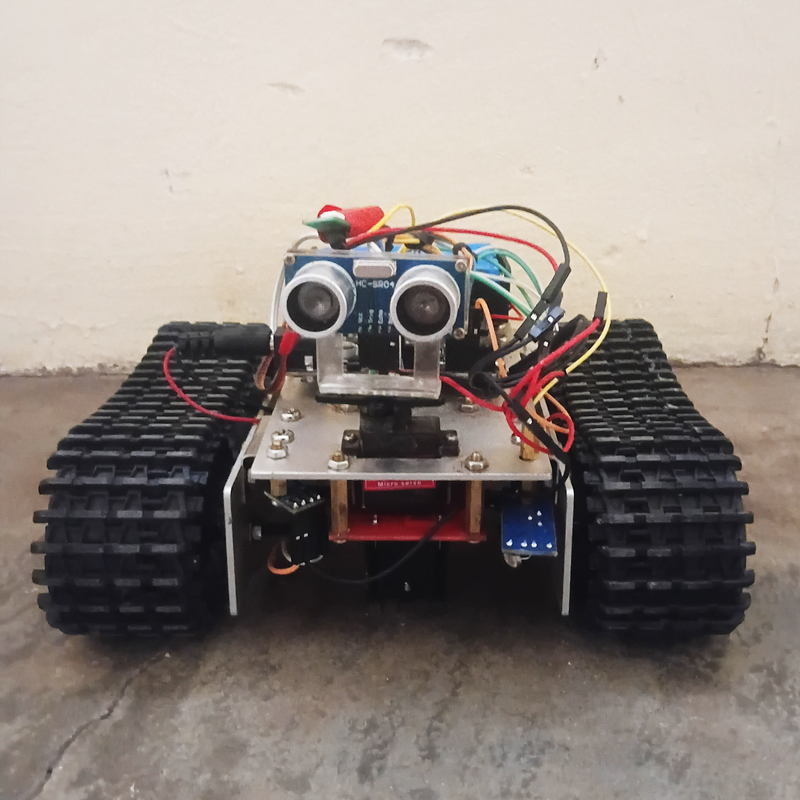
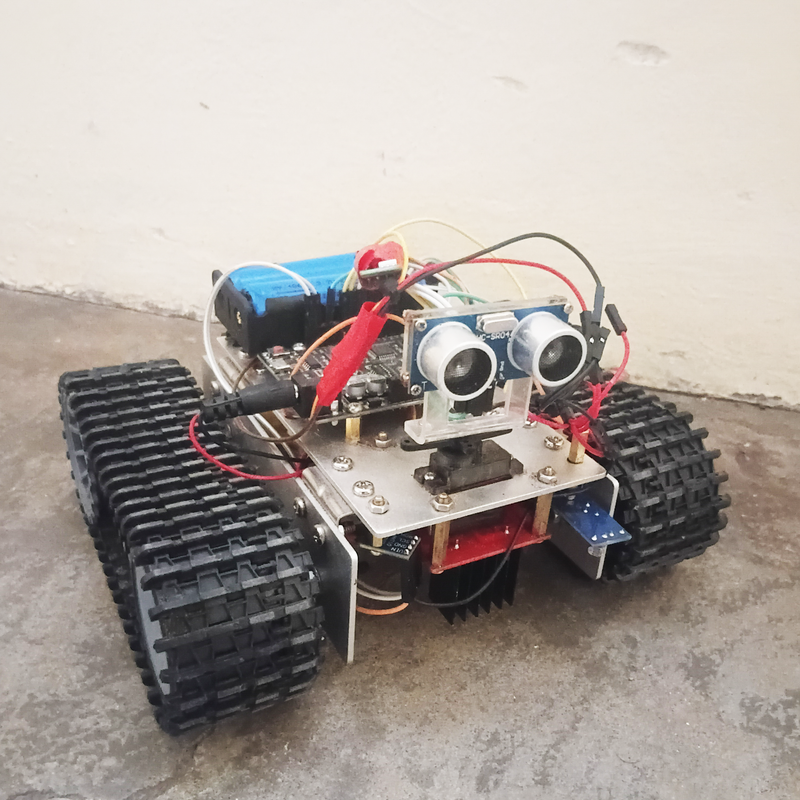
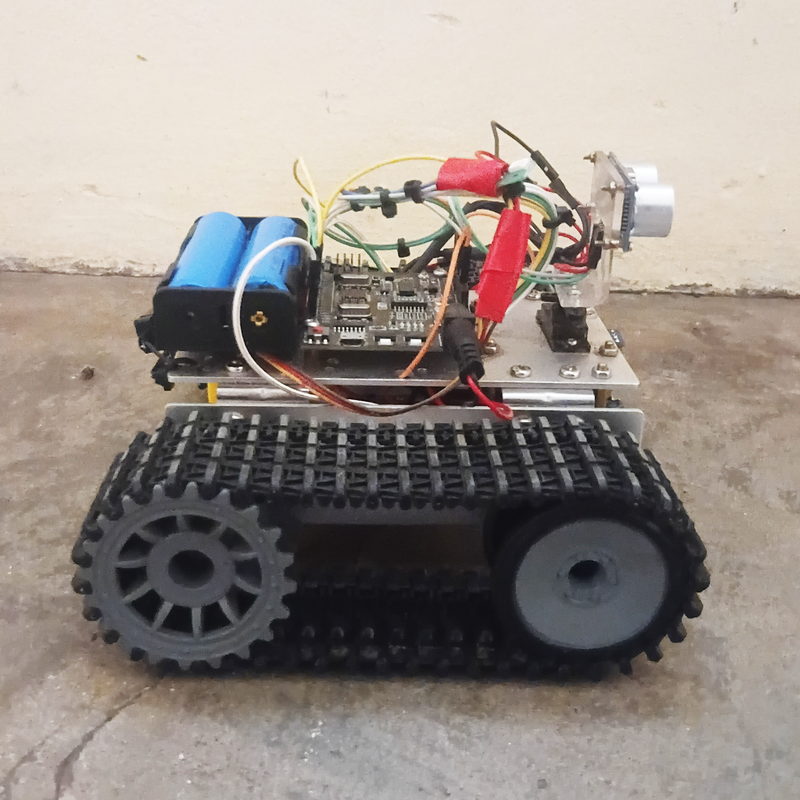
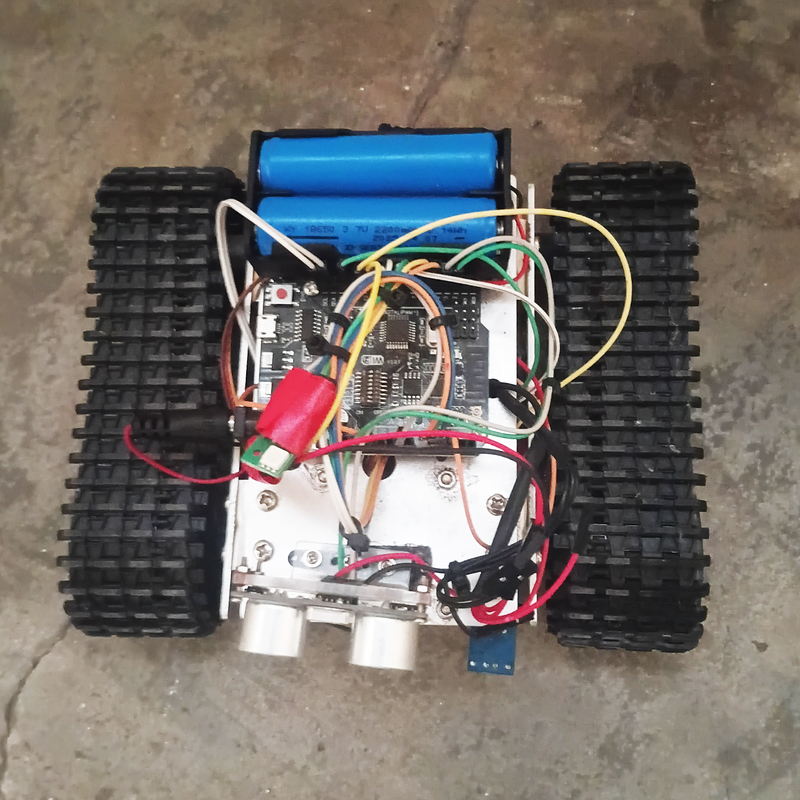
- 01 Small metal tank robot chassis
- 02 UNO + WiFi R3 style board (ATmega328P + integrated ESP8266)
- 03 2S 18650 battery pack
- 04 L298N motor driver
- 05 MG95 servo
- 06 HC-SR04 ultrasonic sensor
- 07 2× 5 V DC motors
- 08 RGB LED
- 09 AHT10 temperature & humidity sensor (I2C)
- 10 Photoresistor module (digital out)
- 11 Buzzer
- 12 NEC IR receiver + remote
Pinout (scripts/MILA/MILA.ino)
| Signal | Pin | Signal | Pin |
|---|---|---|---|
| Ultrasonic TRIG / ECHO | 2 / 3 | Servo | 11 |
| Right motor IN1 / IN2 / ENA | 4 / 5 / 9 | Buzzer | 8 |
| Left motor IN3 / IN4 / ENB | 6 / 7 / 10 | Light sensor (DO) | 12 |
| RGB LED R / G / B | A0 / A1 / A2 | IR receiver | A3 |
| AHT10 SDA / SCL | A4 / A5 | ESP8266 link | Serial (DIP 1 + 2) |
Speed control and the servo share a timer. ENA and ENB on pins 9 and 10 lose their PWM to the Servo library, so 75 / 50 / 25 % may barely move her. Swap ENA ↔ IN2 (ENA → 5, IN2 → 9) and ENB ↔ IN3 (ENB → 6, IN3 → 10), and the same four numbers in MILA.ino.
Drive modes
Pick how MILA moves
Car-style driving
Forward, back, left and right with WASD or the arrow keys. Space stops.
Independent tracks
Q/A drive the left track forward and back, E/D the right. Great for precise turns.
Autonomous
MILA drives on her own, scanning with the servo-mounted sensor and turning away from whatever is in the way.
Her own mind
The LLM on her PC controller drives her, one short move at a time. MIND on her dashboard shows only while that controller is connected.
Driven by NORA
NORA can drive MILA through her IR transmitter: Samsung-format IR at address 0x0DA2, with the fleet link’s commands 0x48–0x4F (drive, stop, obstacle, manual, speed). Driving switches her into WASD mode; stop also leaves OBSTACLE mode, and speed cycles the speed like the OK button. She stops once the link has been quiet for 500 ms. Link frames print as LINK:0x...
Talking, in Brainfuck
Every phrase is a Brainfuck program that prints its words — hello is ++++++++[>+++++++++++++<-]>.+. → hi — and a robot says it by beeping the program on its buzzer, one tone per symbol, in its own voice. RIFT runs the conversations and asks each robot to speak with GET /chirp?u=<0-13> (phrases 0–6, replies 7–13). MILA’s UNO plays TALK:<u> a little higher than NORA, respects MUTE, and only talks while she’s stopped outside Obstacle mode. Her ESP8266 forwards /chirp to the UNO and registers talk:5010, so RIFT includes her.
Quick start
Get driving in a few minutes
Flash the firmware from scripts/esp8266 and scripts/MILA using the Arduino IDE (first copy scripts/esp8266/secrets.example.h to secrets.h and fill in the WiFi passwords and her PIN), then power the robot on. With no fleet network around, MILA hosts her own access point at 192.168.4.1.
Open the dashboard in any browser, or use a desktop controller:
# Python controller: creates a venv, installs deps, launches it
$ ./run.sh                 # macOS / Linux / Git Bash
> run.bat                  # Windows (cmd)
> .\run.ps1                # Windows (PowerShell)

# Point at a specific robot, or let it find her for you
$ ./run.sh --host 192.168.4.1 --port 5010
If MILA joined the RIFT or NORA network (fleet mode), she won't be at 192.168.4.1: RIFT's dashboard lists her address. Press SCAN NETWORK in the C++, C# or F# controller, or start it with --host auto.
Desktop controllers
Same robot, your language
Each controller lives in scripts/ and has a matching build-and-run script in .sh, .bat and .ps1 form.
| Language | UI toolkit | Run | Radar & graphs | Gamepad |
|---|---|---|---|---|
| Python | pygame | run.sh | – | – |
| C++ | Win32 / GDI | scripts/run-cpp.* | ✓ | ✓ |
| C# | WinForms | scripts/run-csharp.* | ✓ | ✓ |
| F# (preview) | WinForms | scripts/run-fsharp.* | ✓ | ✓ |
| Rust | egui | scripts/run-rust.* | – | – |
| Go | Ebitengine | scripts/run-go.* | – | – |
| Julia | GLMakie | scripts/run-julia.* | – | – |
Highlights of the C++, C# and F# controllers
Proximity radar
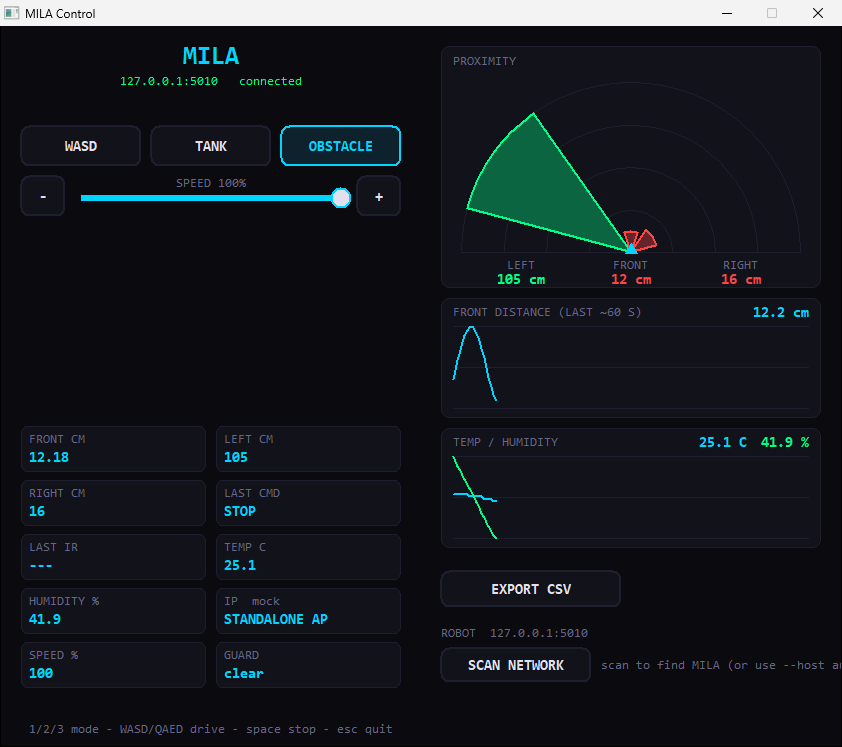
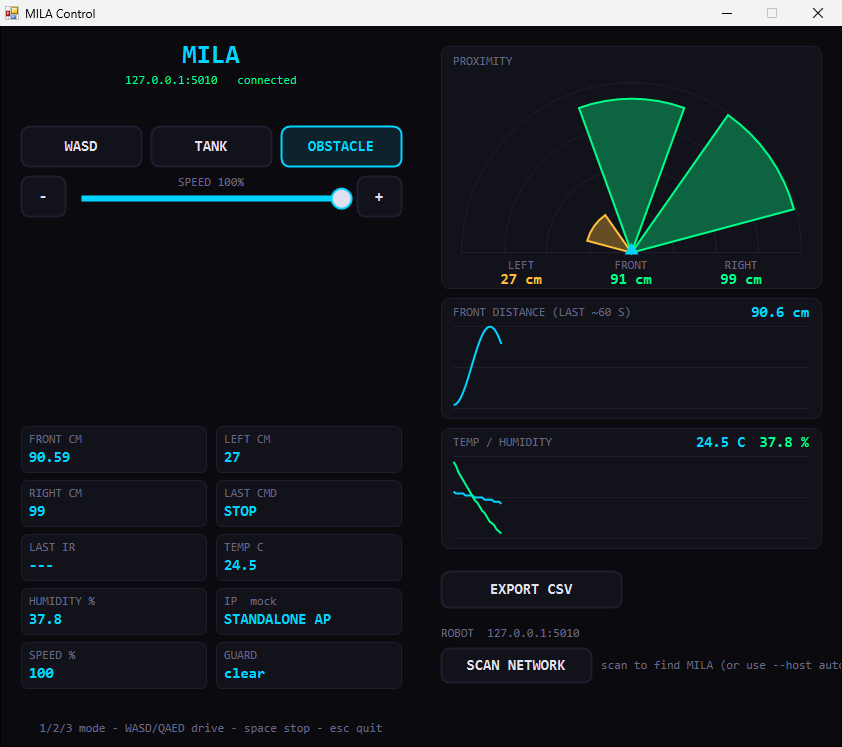
Left, front and right distances drawn as coloured wedges: green when clear, amber under 50 cm, red under 20 cm.
Live graphs & CSV export
Distance, temperature and humidity plotted over the last minute, with a one-click CSV of the whole session.
Gamepad support
Xbox controllers via XInput: stick or D-pad to drive, triggers for speed, A to stop, bumpers to switch mode.
Network discovery
Scan your subnets for MILA and connect with a click. The last host, port and mode are remembered.
Analyze a session with Fortran
Press EXPORT CSV in a controller to save a run, then let scripts/fortran/telemetry_stats.f90 summarise it: sample rate, time in each drive mode, per-sensor min / max / mean / standard deviation, outliers, connection gaps and close calls. Needs gfortran; it picks your newest export automatically.
$ scripts/run-fortran.sh            # or run-fortran.bat / run-fortran.ps1

Samples:   200
Duration:  0:01:47  (107.0 s)
Modes:     wasd 120 (60.0%)  tank 80 (40.0%)

        Sensor      n  missing       min       max      mean    stddev   outliers
Front dist cm     200        0      8.50    400.00     62.36     37.83          1
Left dist cm      180       20     40.00    100.00     70.61     21.06          0

Close calls (front < 20 cm): 8 samples (4.0%)
Connection: 1 gap(s) longer than 2.0 s (longest 8.0 s)
Teach MILA to drive herself
Drive by hand (IR remote, keyboard, gamepad or the dashboard), press EXPORT CSV, and scripts/fortran/make_dataset.f90 turns your sessions into an imitation-learning dataset: what the ultrasonic sensor saw, paired with what you were doing.
Human driving only
Obstacle mode (she drives herself) and moments the collision guard overrode you are dropped.
Labels from the motors
The Arduino reports the real left/right track state, so IR driving is captured too. Nine classes, from STOP to R_BWD.
Sensible features
Front distance, its change, a 5-sample average and minimum, speed and mode. No-echo readings are flagged and carried forward.
No leakage
Each export is one session, and the last 20 % of every session is marked as validation.
$ scripts/run-dataset.sh     # or run-dataset.bat / run-dataset.ps1

Rows kept: 252  (train 220, val 32)
  dropped, robot was driving itself (obstacle mode): 25 rows
  dropped, collision guard overrode the human:        3 rows

Action distribution (kept rows):
  0 STOP           31  (12.3%)
  1 FORWARD       158  (62.7%)
  3 LEFT           63  (25.0%)
Reflash both boards to get the motor columns. Older exports still work, but IR driving is invisible in them.
Test without a robot
A mock MILA lives in scripts/sim. It serves the same endpoints as the firmware with simulated sensor data:
$ scripts/run-sim.sh
$ scripts/run-cpp.sh --host 127.0.0.1
WiFi signal
How well she hears the network
Her /status has wifi_rssi (her signal, 0 while she hosts), which RITA’s STATS shows. Her ESP8266 has no Bluetooth: Bluetooth controllers reach her through NORA’s IR link.
Who's nearby
ESP-NOW + Bluetooth LE: the robots sense each other
Every robot sends a small "I'm here" beacon twice a second. The signal strength says roughly how close each one is, and how it changes says whether it's coming closer, steady or leaving. Coarse, for "who's around": the ultrasonic and ToF sensors still do the precise avoiding.
Very close to far
Above −45 dBm very close, −60 near, −75 medium, below that far.
In Brainfuck
Over ESP-NOW each beacon carries a program that prints park, go, wait or hand; the receiver runs it. RIFT decodes them too.
Who makes way
A parked robot isn't the one moving; a yielding one is making way; a human-driven one gets space; otherwise the alphabet decides, and everyone makes way for MILA.
MILA's ESP8266 sends the beacon over ESP-NOW, saying what she's doing in Brainfuck, so NORA and WHIP know where she is. It can't measure the others, so she can't avoid them: they always make way for her.
Screens
The controllers
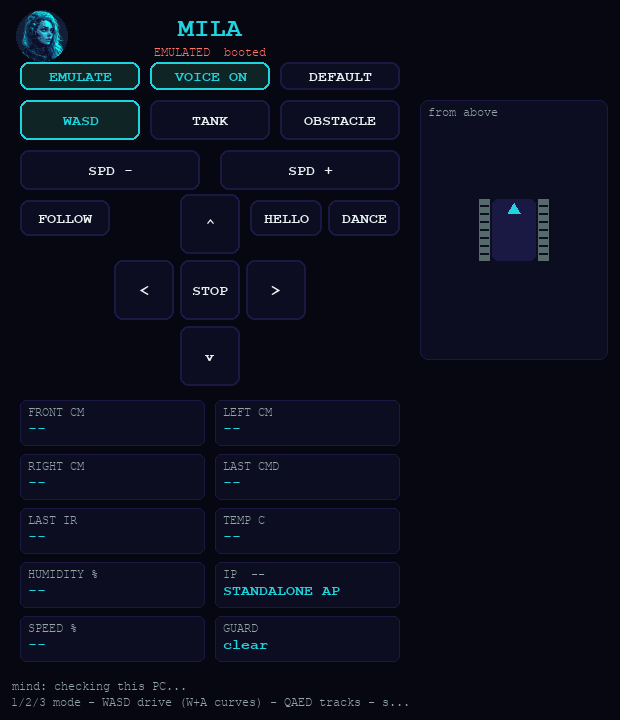
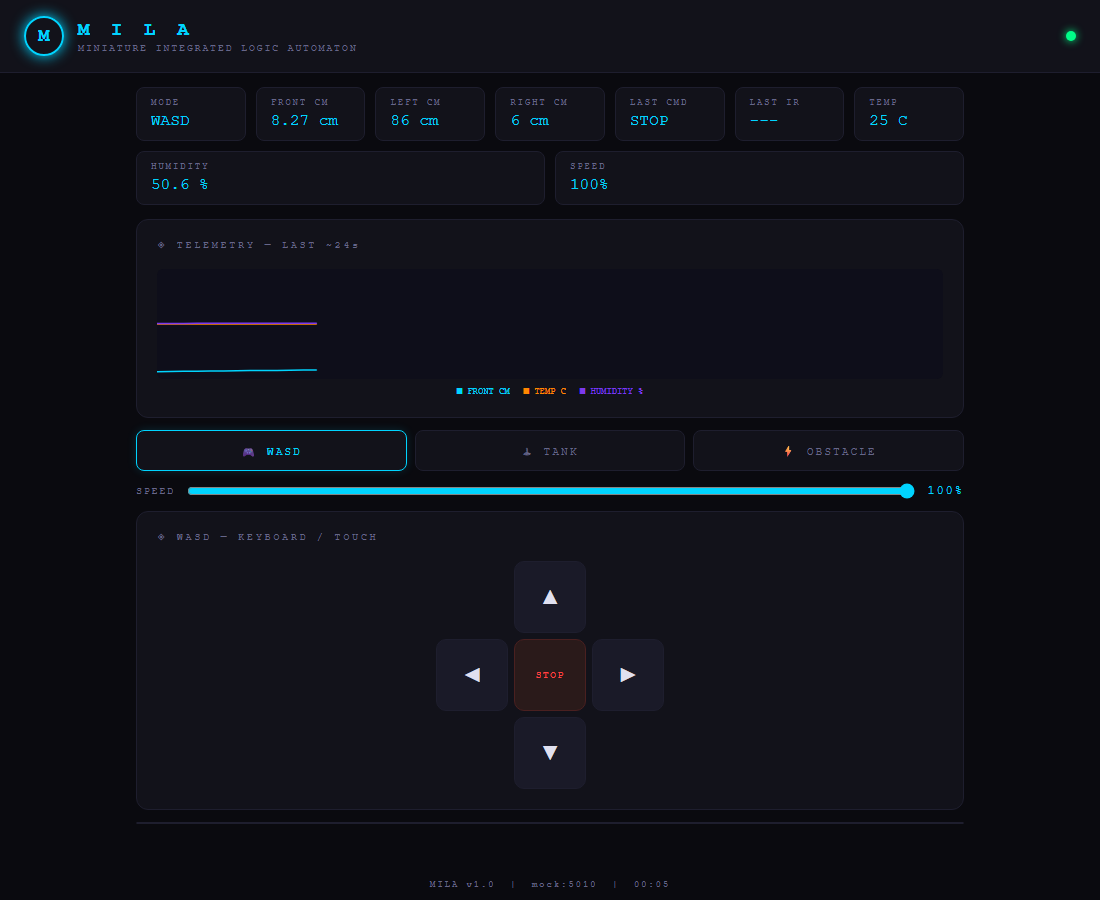
Running against MockMila, the simulator in scripts/sim, so the telemetry is live.
Windows app
A native window on MILA's page
It opens MILA's own hosted page in a window, so it always looks the same as the page. It remembers the address, and FIND looks on the fleet list of the network you're on. If MILA doesn't answer, it says so and lets you change the address.