 PulseAmp
PulseAmp
A free media player for Windows and Linux with YouTube and SoundCloud, MilkDrop visualizations and real Winamp skins.
On Linux, get the AppImage: make it executable (chmod +x PulseAmp-x86_64.AppImage) and run it.
Needs a 2024-or-newer distro (e.g. Ubuntu 24.04, Fedora 40, Debian 13, Arch).
There's no ready-made download for your system yet, but you can build PulseAmp from source.


Everything a music player should do
Plays your files, and whatever you find online, with visuals that react to the music.
YouTube & SoundCloud
Search and play from the Online tab, paste a link, or drag one in from your browser. YouTube plays with video up to 1080p.
MilkDrop visualizations
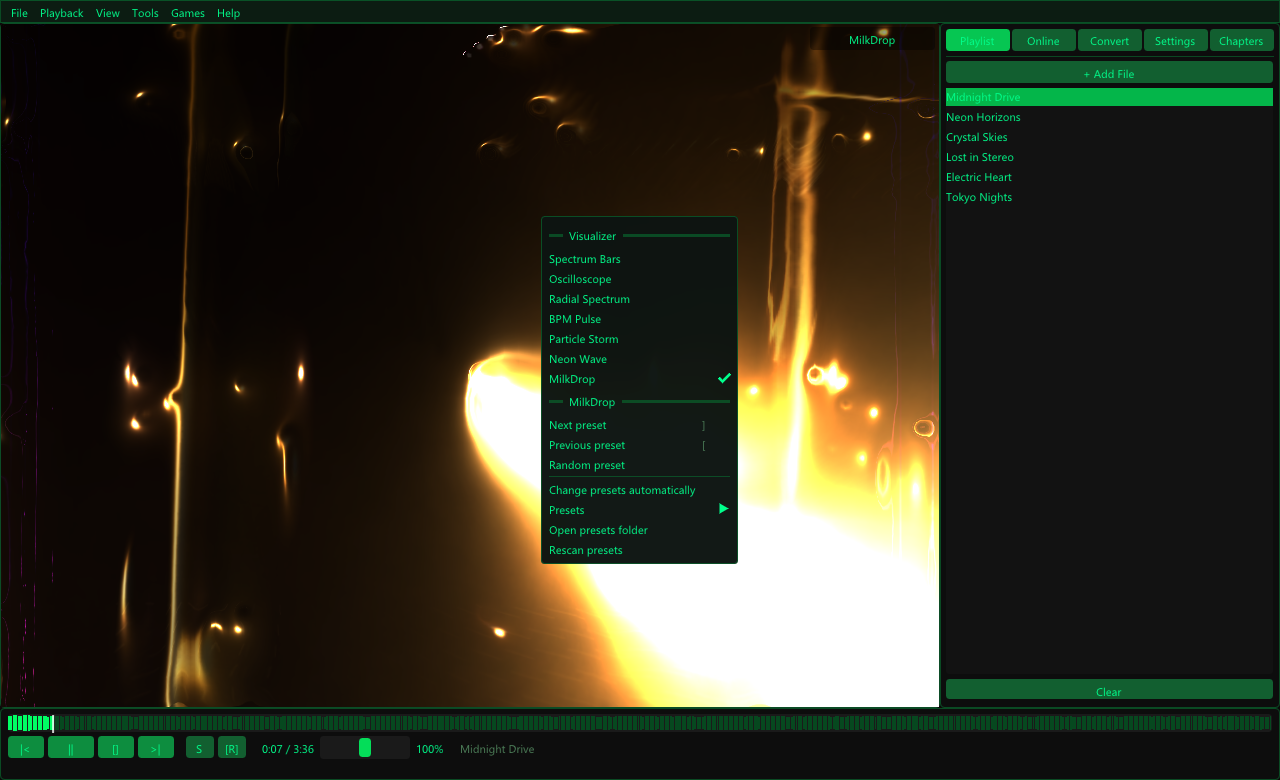
Winamp's legendary visualizer through projectM, with nearly 10,000 presets. Switch presets with [ and ], or right-click to choose from the list.
Winamp skins
Classic mode turns PulseAmp into a compact window in the shape of its skin. Load real Winamp .wsz skins, or design your own.
Neon arcade
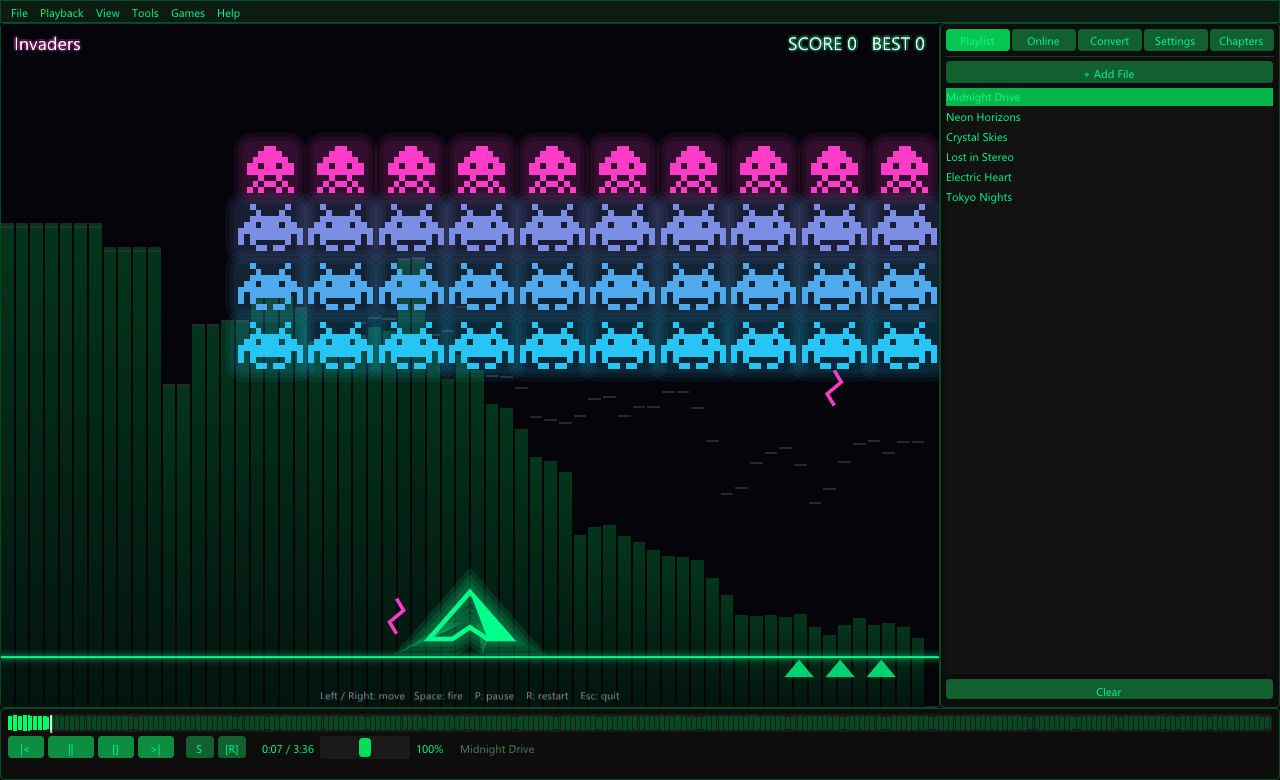
Snake, Runner and Invaders in glowing neon, played to your music over the visualizer, or over a playing video so you can watch a movie while you play. Make your own levels with .pag game files.
Themes
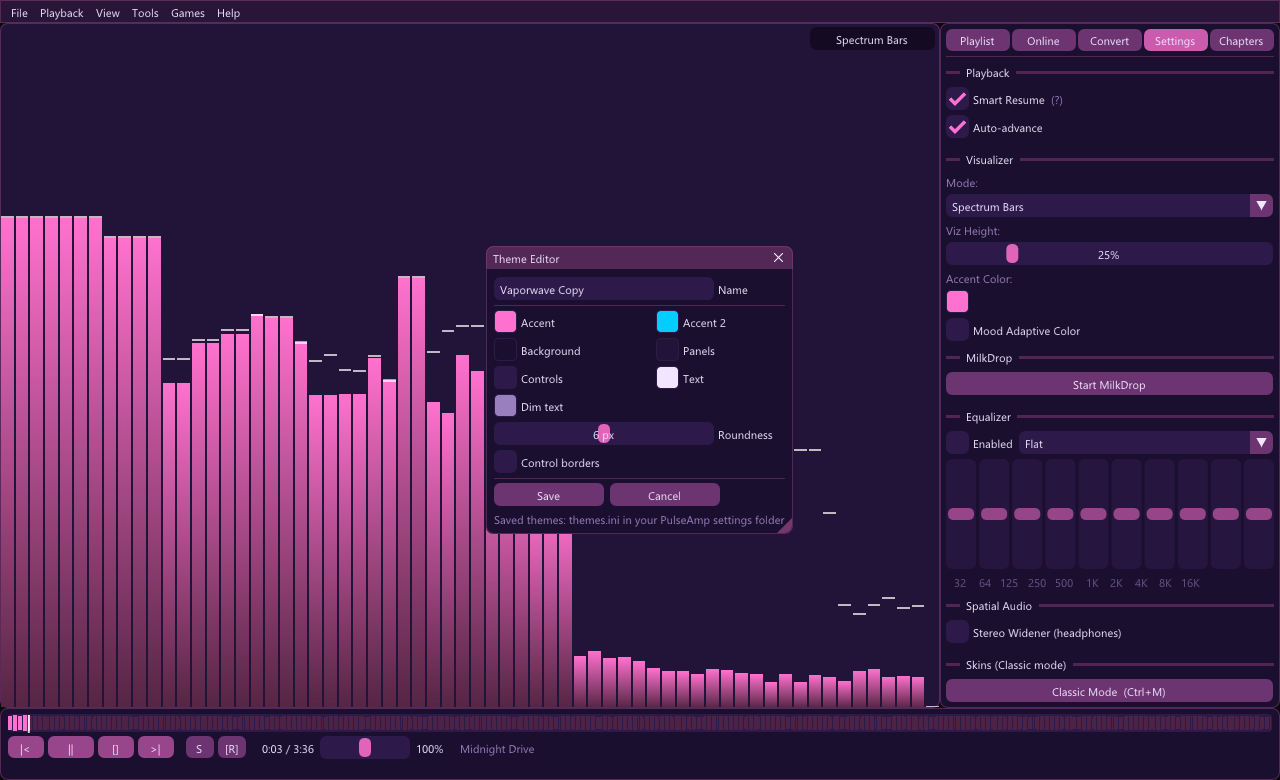
Eight colour themes, from Winamp green to a light classic look, plus a live theme editor to make and save your own.
Waveform, BPM & resume
Seek on the track's waveform, see the live BPM, and pick up every file where you left off, or hit Start over to begin again.
Fullscreen & scaling
Double-click for fullscreen; the controls fade away. The interface scales with the window and looks sharp on high-DPI screens.
Skins, in any shape
Press Ctrl+M for Classic mode. PulseAmp ships with three skins of its own and plays classic Winamp skins too: thousands are free at skins.webamp.org.
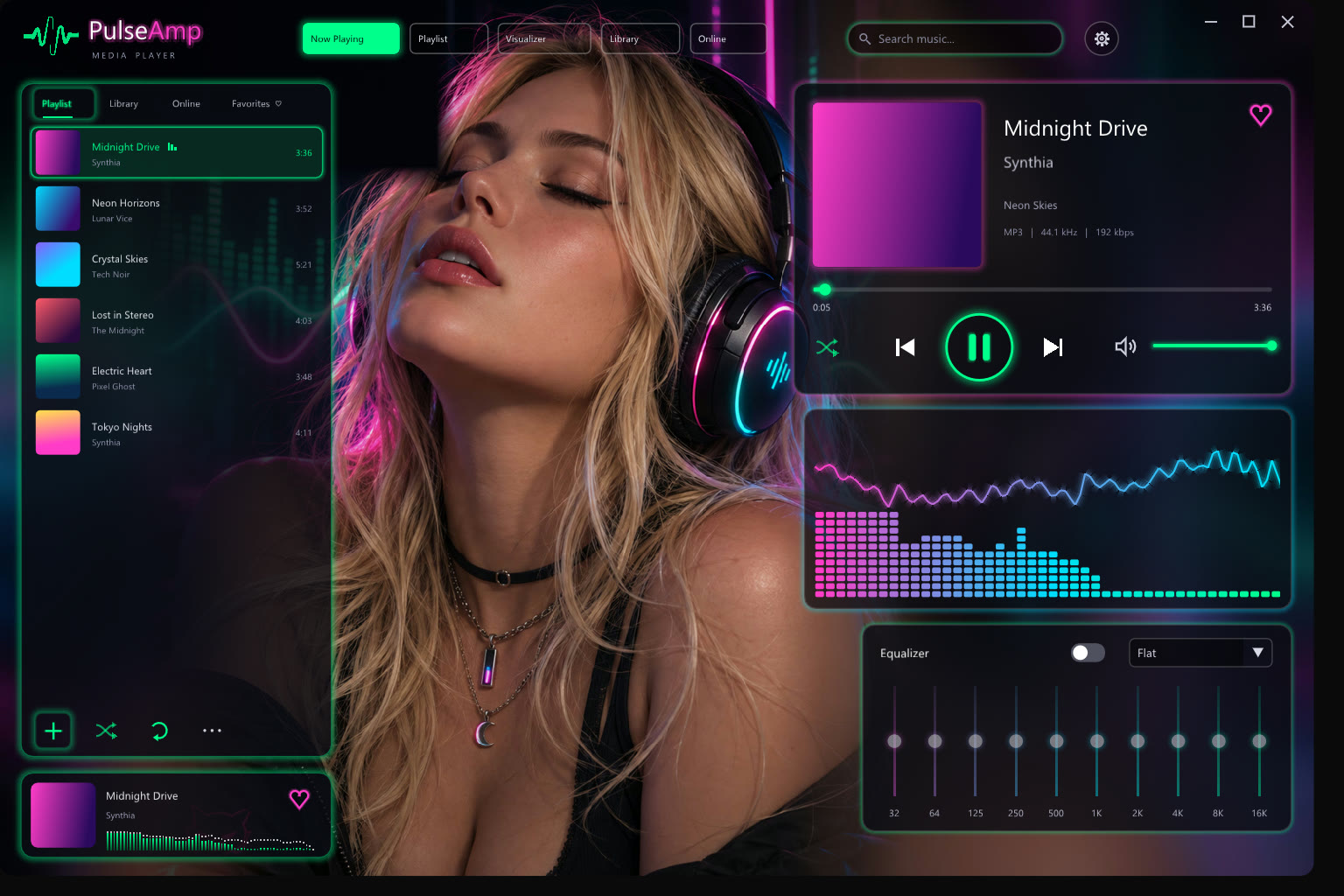
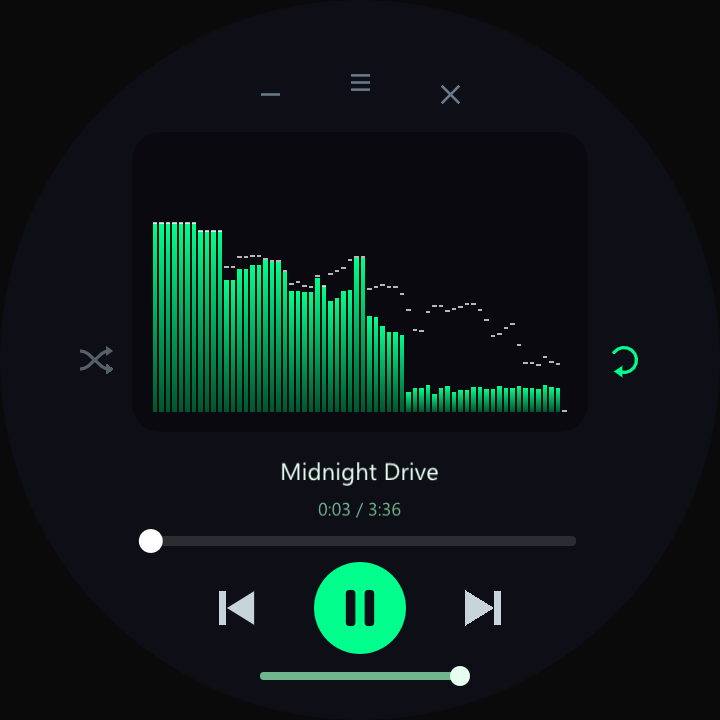
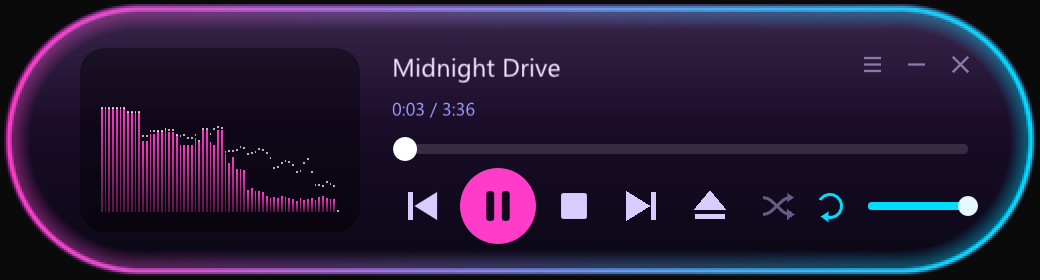
A closer look
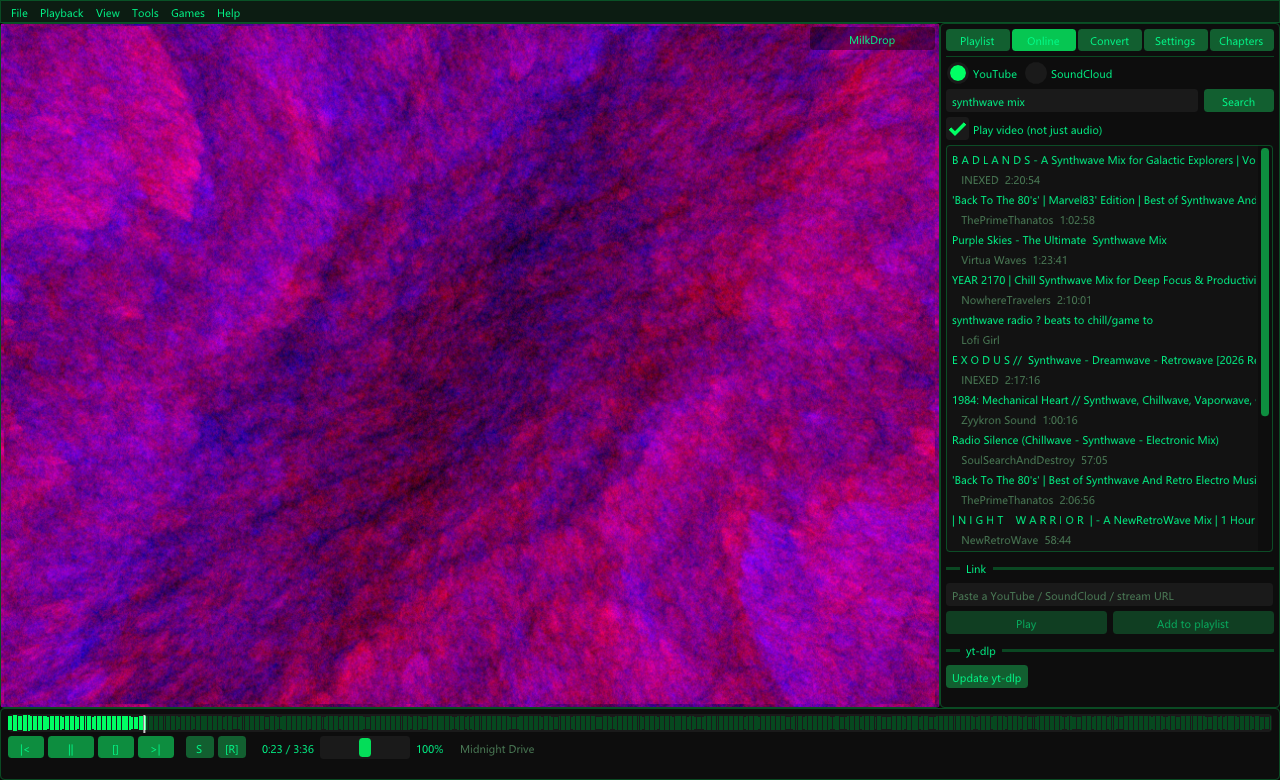
Get started
Install
Windows: run PulseAmp-Setup.exe, or extract the portable zip anywhere (for MilkDrop, also extract the presets zip into the PulseAmp folder). Linux: chmod +x the AppImage and run it.
Play something
Drag files, folders or links onto the window or the playlist, press O to open a file, or search the Online tab.
Make it yours
Right-click the visualizer to pick a visualizer or MilkDrop preset, Ctrl+M for skins, and View → Theme for colours.
Add presets & skins
Put MilkDrop .milk presets in %APPDATA%\PulseAmp\presets and Winamp .wsz skins (from skins.webamp.org) in %APPDATA%\PulseAmp\skins, or ~/.pulseamp on Linux. The visualizer's right-click menu and View → Skins open these folders for you.
PulseAmp isn't code-signed yet, so Windows may show "Windows protected your PC" the first time: choose More info → Run anyway. If YouTube or SoundCloud stop working, click Update yt-dlp in the Online tab.