Layers and masks
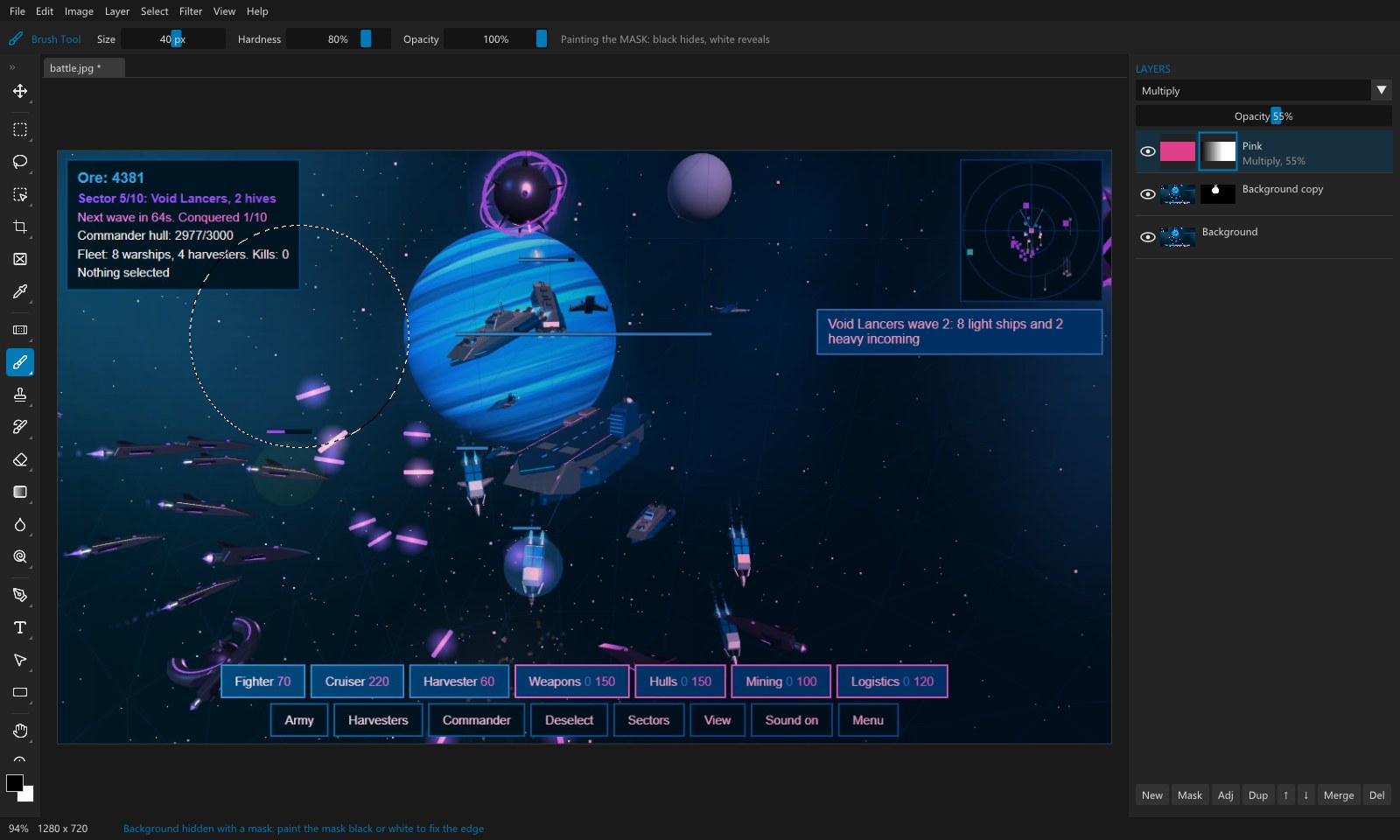
Unlimited layers with their own size and position. True layer masks: black hides, white reveals. Paint them,
blur them, curve them, switch them off with Shift-click, see them with Alt-click. On a mask the brush
paints black and white.
Layer groups
Nested groups with their own opacity, blend mode and mask, pass-through or isolated, knockout and locks, as in
Photoshop. Clipping masks and fill layers too.
Type
Point and paragraph text that wraps and rewraps, text on a path with draggable start and end, rich styles in
one layer, smart quotes and recent fonts.
Crop, as Photoshop
A full frame at once, rotate outside it, both crop modes, six overlays, the shield, presets and W x H x
Resolution, Straighten, and content-aware corners.
Pen, shapes and healing
Pen, Freeform and Curvature pens; shape layers and custom shapes; Spot Healing, Patch, Content-Aware Fill and
Move; Quick Selection and Magnetic Lasso.
27 blend modes
Every Photoshop layer mode, from Multiply and Screen to Vivid Light, Hard Mix, Hue and Luminosity, with the
same maths.
Selections
Marquees, Lasso, Polygonal Lasso and Magic Wand, with add, subtract and intersect, feathering and marching
ants. Select Subject and Remove Background find the subject for you, on your own PC, and Select and Mask
gives it real hair: edges that follow the picture, feather, shift edge and colour decontamination.
Painting
A brush and eraser with size, hardness and opacity; a paint bucket with tolerance; an eyedropper. Fill an
empty layer, set its blend mode, mask it.
Adjustments
Photoshop's 15 adjustments as adjustment layers that stay editable: Curves, Levels, Exposure,
Hue/Saturation, Color Balance, Black & White, Photo Filter, Channel Mixer, Gradient Map, Selective Color
and more, each with its own mask, in a Properties panel.
Filters and size
Gaussian Blur, Box Blur, Average and Add Noise. Free Transform, Image Size (bicubic) and Canvas Size. PNG with
transparency, JPG, and projects that keep every layer.
Changeling filters
With Changeling Studio on your PC, Filter >
Changeling runs Imago, Tiresias, Chronos, Natio, Cosmeta and Tonsor on the picture. Each result comes in as
a new layer, masked to the selection.
Depth maps
With Bathos on your PC, Filter > Bathos > Depth
Map puts the depth of the picture in as a new layer: near is bright, far is dark, and faces get a real 3D
shape.
Face swap
With Mimic on your PC, Filter > Mimic swaps a face
from a photo onto the picture, as a new layer you can mask.