What it looks like
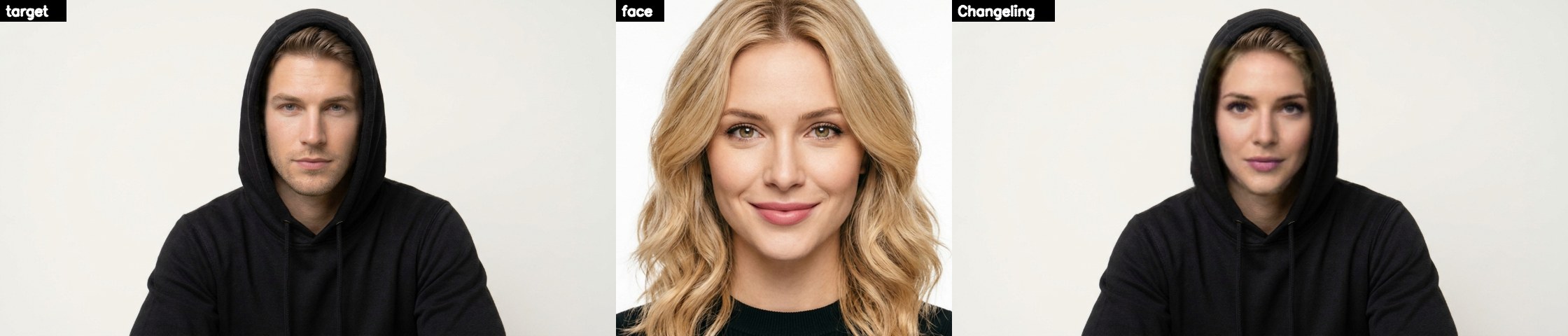
The target, the face, and Changeling's result. Click to enlarge.
Use it
- Python 3.9 - 3.12 and ffmpeg on your PATH.
- Start
run.bat(orrun.ps1,run.sh). The first run sets itself up: a virtual environment, PyTorch, TensorFlow and the models. - Select a face, select a target (a picture or a video), press Start and pick where the result goes.
The window
| Start | swap, then follow the completion bar |
| Preview | one frame, before the whole video |
| Many faces | every face, not just one |
| Keep target fps | the video's own frame rate |
Without the window
run.bat -s face.png -t clip.mp4 -o out.mp4 swaps straight away; add --frame-processor face_swapper face_enhancer for GFPGAN.
Where it comes from
Changeling Imago grew out of roop by s0md3v, and like roop it's free software under the GNU AGPL-3.0. Its NSFW check stays on. Use it on faces you have the right to use: AI-generated people, yourself, or people who agreed to it.